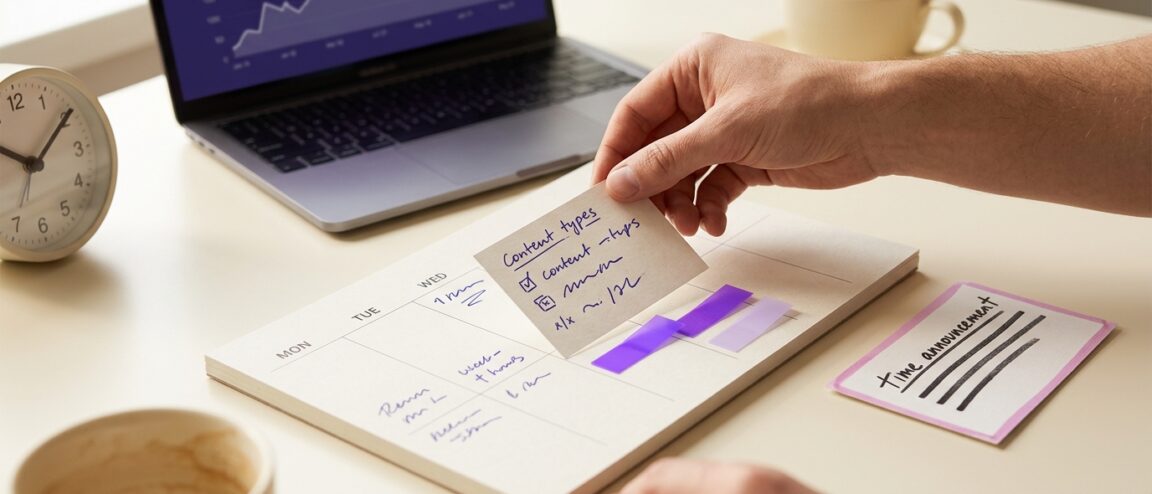
Best Time to Post on Instagram: Find Your Best Day and Schedule
There is no universal best time to post on Instagram. Use an audience-active window from Insights as a starting hypothesis when history is sparse; with established history, use the tested window that most consistently meets your goal. Publish time-sensitive content immediately when it is relevant.
- Sparse history: test one Insights audience-active window as a starting hypothesis.
- Established history: use whichever tested window most consistently meets your goal.
- Time-sensitive content: publish immediately and skip the schedule.
Every creator eventually asks this before hitting publish, and the honest answer is that Instagram doesn’t hand out a fixed clock reading for it. What the platform does expose is your own audience’s activity pattern, a set of format-specific metrics, and account-level history that together beat any borrowed slot. This guide walks through reading that data, separating a real timing effect from a creative or promotional one, and building a schedule around your actual audience instead of someone else’s. Along the way it covers picking a day, scheduling for free, and how often to post, because all three decisions rely on the same underlying test.
Start with a benchmark, then replace it with your data
The right time to post depends on how much comparable history your account already has, not on a single hour that works for every profile. No verified US-specific, organic-only benchmark meets a transparent enough standard to name here, so the safer starting point is the audience-activity window Instagram already shows you inside your own account.
If your account has fewer comparable posts than you’d like, treat one audience-active window from Insights as a hypothesis to test, not a proven slot. Once you’ve published enough comparable posts across a few windows, drop the starting hypothesis and use whichever window your own results favor for the outcome you picked. Time-sensitive content breaks both rules: an announcement, a live-event tie-in, or a limited-time offer should go out when it’s relevant, even if that means posting outside your tested window.
A benchmark is a placeholder. It stops earning its keep the moment your account has real comparable data to replace it with.
Choose the best day by comparing like with like
Before calling one weekday better than another, decide what “better” means for that specific post — reach, saves, or link clicks — because the best posting day is simply the day your comparable posts consistently deliver most on that chosen outcome, not a day that wins in general.
The mistake that ruins this comparison happens before anyone looks at a chart: treating a launch announcement and a routine carousel as if they measured the same thing. Purpose, offer, and creative effort move outcomes more than the calendar does, so a Tuesday that “underperformed” a Thursday launch post proves nothing about Tuesday — it proves the two posts weren’t comparable. Group posts by format and purpose first, then compare days within that group. When your account has too little comparable history to run that comparison yet, spread comparable posts across the days your calendar allows and track results the same way — then keep the day that consistently wins for your chosen outcome once the pattern repeats, and drop the placeholder the moment real data replaces it.
Audience activity is a test clue, not the winning result
Audience activity and post performance answer two different questions: one shows when your followers are online, the other shows what actually happened after you posted. On professional accounts with at least 100 followers, Instagram’s Insights includes a follower-activity view — inside Total followers or Your Audience, under Most Active Times — that charts when followers have historically used the app, by day and hour. That’s a clue worth testing, not a verdict.
The reason it can mislead on its own: a high-activity hour can still underperform if the topic, format, or call to action doesn’t match what your audience wants at that moment. Instagram documents this view as follower analytics, not as a distribution rule, so treat it as one input alongside reach, views, and interactions — not a stand-in for any of them.
Build a posting-time baseline in Instagram Insights
For example, picture a two-person skincare brand posting one Reel and one carousel most weeks. After six weeks of publishing at roughly the same two times, the team noticed carousel saves barely moved while Reel views swung from a few hundred to several thousand with no obvious pattern — this is an illustrative situation, not a documented case. Before blaming the clock, they checked their own record and found the carousel topics had changed every week, so the flat saves said more about topic fatigue than about timing.
That’s the trap a posting-time baseline is built to avoid. Open Insights on a professional account and, for each post, record the audience-local time you published, the day, the format, the topic or purpose, and the primary outcome you’re testing for. Instagram defines Accounts reached as the unique accounts that saw your content at least once, distinct from views, which count the number of times your content was played or displayed — so don’t treat views as a stand-in for reach when comparing time slots. Instagram lists likes, comments, saves, and shares as examples of interactions people take on content, though the documentation doesn’t present that as a complete list. Menu names and the exact tap path can differ by app version, account type, and region, so use this as a guide to the feature rather than a fixed set of steps.
Record comparable posts before declaring a winner
Add columns for the scheduled time zone, distribution context, audience geography where Insights shows it, and anything external that could explain a spike or a dip on its own — a boosted post, a collaboration, a seasonal moment, or a documented eligibility flag on that specific piece of content. Mark paid activity and collaborations separately rather than folding them into an organic timing comparison; a promoted post and an organic one aren’t playing the same game, and averaging them together will make an ordinary organic slot look better or worse than it actually is.
Once a meaningful batch of comparable posts sits inside the same format and purpose group — and the difference shows up consistently across more than one tested window — it’s worth acting on. A single strong or weak post inside a small group is not that signal; it’s one data point.
Schedule for the audience’s time zone, not the manager’s clock
The mistake happens quietly: a manager in one city schedules everything around their own workday, and a national audience three time zones away gets every post at the wrong hour for months without anyone noticing. If one region clearly holds most of your audience, build your schedule around that region’s local time, not your own. If your audience is genuinely split — a US brand with real followings on both coasts, say — test an overlap window that lands during waking hours in both, or run separate audience-local windows for each segment rather than defaulting to whichever zone the scheduler happens to sit in.
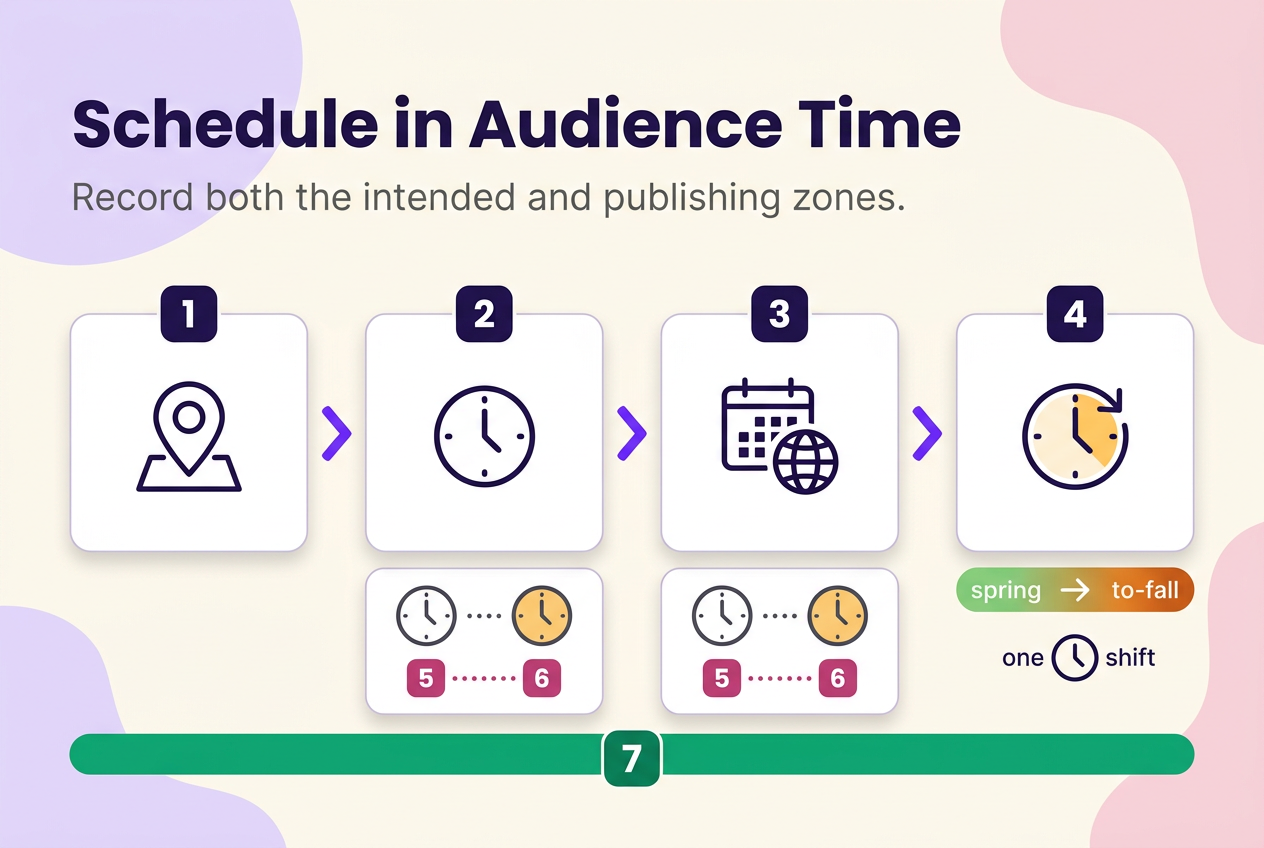
Record both figures every time: the audience-local time you’re aiming for and the time zone your scheduling tool actually used to publish it. Seasonal clock changes can quietly shift a cross-country schedule by an hour without any setting having changed, so build in a recheck rather than assuming a fixed offset holds all year. Reconfirm your conversion whenever the season turns rather than assuming a schedule built in spring still holds in fall. Instagram doesn’t publish the exact time-zone basis behind its audience-activity displays, so treat any cross-zone conversion you build as your own approximation, not a platform-confirmed figure.
Test a small set of posting windows without changing everything else
The usual advice — “just try posting at different times and see what works” — falls apart the moment three variables change at once and nobody can tell which one moved the outcome. The priority worth locking in before any looser test structure: fix a short, defined test cycle — four weeks is a practical length to start with — pick a small, manageable set of audience-local slots (two or three usually works), and hold format, topic category, call to action, and organic-versus-paid status as steady as your content calendar allows. Rotate through the chosen slots in a fixed order rather than posting at whichever time is convenient that day, so each slot gets a fair number of turns.
Before the test starts, pick one primary outcome for the whole batch — reach, saves, profile visits, whatever matters most for that content type — and judge the result against that outcome alone. Secondary numbers are worth recording, but they shouldn’t override the metric chosen going in; changing your yardstick after seeing the data turns a test into a story you wanted to hear.
At the end of that cycle, compare each slot’s comparable posts against the same outcome. A slot that wins clearly and repeatedly earns a spot in your regular schedule. A slot that loses just as clearly gets dropped. A result that’s close, or resting on only one or two comparable posts, isn’t a result yet — extend the test another cycle with the same rules rather than calling it early. Four weeks is a practical length to work with, not a threshold that guarantees a clean answer; some formats or cadences need longer before a pattern separates from noise.
Use different starting rules for sparse and richer histories
Which starting rule applies is a question of how much comparable data you already have, not how long the account has existed or how many followers it carries. An account with fifty thousand followers but only three carousels published this year has sparse comparable history for carousel timing, whatever its follower count suggests. Use the account’s own results once that specific format-and-purpose group has enough comparable posts spread across the tested windows; fall back to a starting hypothesis only while that group is still thin.
| Account-data condition | Starting input | Comparison scope | Next action |
|---|---|---|---|
| Sparse comparable history for this format/purpose | One audience-active window from Insights | Same format and purpose group only | Test two to three slots for a full cycle before deciding |
| Richer comparable history for this format/purpose | Your account’s best-performing tested window | Same format and purpose group only | Keep the leading window; retest only after a real change |
| Time-sensitive or perishable content | Publish when the content is relevant | Not comparable to a timing test | Override the schedule; log it as a separate context |
Format changes the comparison group
Comparing a Reel’s performance directly against a carousel’s and calling the winner “the best time” mixes up two different questions. Compare timing within the same format first — Reels against Reels, Feed posts or carousels against each other, Stories against Stories — because format changes the purpose, the creative treatment, and sometimes even which metrics are available, and pooling formats together can make a timing pattern look real when it’s actually a format pattern.
Only treat a format-specific timing difference as real once you have comparable examples inside that format at more than one window; a single Reel that did well at 7pm and a single carousel that did poorly at noon tell you about creative and format differences, not about time. Where Insights breaks results out by format, use that breakdown to keep each comparison inside its own lane.
Check documented account and content status before blaming timing
Before deciding a slow week is a timing problem, rule out anything that changes how comparable a post actually is. Set aside any post carrying a known, documented policy or recommendation-eligibility issue — it isn’t a fair data point for a timing test, whatever hour it went out.
Instagram’s own recommendation eligibility documentation doesn’t list posting time, time zone, or posting frequency as a factor in whether content becomes eligible for recommendation to non-followers on Reels, Feed, Explore, Search, or Suggested Accounts. That’s a statement about what the documentation covers, not proof that timing plays no role in how content is distributed — but it’s still a reason to treat eligibility status as a separate check, not a timing explanation, when a week underperforms. Flag any post carrying a known policy or eligibility issue and set it aside from your timing comparison rather than folding it into the results.
Free scheduling: native controls, authorized tools, or reminders
Say you’ve settled on a window worth testing and want a week of posts queued up without paying for anything. Check your own account first: Instagram’s own settings are the place to confirm what native scheduling your account currently supports, since eligible formats and options can vary by account type and app version — don’t assume last year’s screenshot still matches what you see today. (Meta-owned tools such as Meta Business Suite report account-level metrics like views and follows over a rolling 28-day window for connected accounts, which is useful for reviewing results but isn’t itself a timing recommendation.)
If native scheduling doesn’t cover what you need, an authorized third-party tool that publishes through Instagram’s own permissions can fill the gap — check its current free-plan terms, supported publishing modes, and what access it’s actually requesting before connecting an account. Where neither route fits the post, a plain calendar reminder that pushes you to publish manually is still a legitimate answer: a saved draft or a calendar entry is a plan, not a publish, and some workflows need that manual last step regardless of which tool holds the plan.
- Native scheduling: use when your account type and format are eligible; check current settings first.
- Authorized third-party tools: use when native scheduling doesn’t cover the format or account you need, and only through Instagram’s official permissions.
- Calendar reminders: use when a workflow still requires a manual final step or neither other route fits.
How many times a day should you post?
There’s no defensible universal number of posts per day that fits every account, and no current documentation sets one. The number that works is whatever your account can sustain without repeating the same message or dropping creative quality, while still producing acceptable results against the outcome you’re tracking for that content type.
Posting more often to cover multiple time zones is a repetition decision, not a timing strategy, and the two shouldn’t be solved with the same fix: publishing three near-duplicate posts across three windows tests audience tolerance for repetition, not whether a time slot works. If you’re increasing frequency, track cadence and message overlap as their own variables, separate from the timing test you’re running, so a drop in results doesn’t get blamed on the wrong cause.
Keep, revise, or pause your posting-time plan
Keep a window once comparable posts repeatedly meet the outcome chosen for that format and purpose; revise it once another tested window starts winning more consistently across a similar batch of comparable posts; pause the whole exercise when relevance is urgent, when the format, topic, or offer has changed enough that the old comparison no longer applies, or when there simply aren’t enough comparable posts yet to trust a difference.
Review on a schedule tied to your own posting volume and to real changes in your business — a new product line, a seasonal shift, a format you’ve started using — rather than reacting to one unusually strong or weak post. A single outlier inside an otherwise stable pattern is noise; a pattern that holds across a full batch of comparable posts is a signal worth acting on. If you revise a window, treat the new choice as a fresh hypothesis and give it its own comparable batch before trusting it the way you trusted the one it replaced.
None of this locks in permanently. Audiences shift, and a format that used to dominate your feed can fade, so the review habit matters more than any single window you land on today. For broader analytics habits beyond timing, see the Instagram Strategy & Analytics hub.
Whichever step you tackle first — recording your first batch of comparable posts in Insights or setting up a small window test — a simple log is enough to start. A spreadsheet with the fields covered above will do the job; the format matters far less than actually keeping it updated post after post.
No method guarantees a specific number of followers, views, or income. Results depend on niche, content quality, and account history.
 120,000+ creators say yes
 Real Active Accounts


 Username Generator
  Hashtag Generator
  Font Generator