How to Build a Social Media Strategy for Instagram
Build a social media strategy for Instagram by auditing the account, selecting one business outcome and primary metric, defining the audience need and Instagram’s role, assigning content jobs and a sustainable workflow, then reviewing comparable results and adjusting one variable.
- Audit the account and record a current baseline
- Select one business outcome and its primary metric
- Define the audience’s need and Instagram’s specific role
- Assign content jobs, formats, workflow, and cadence
- Review results against that metric and adjust one variable
Most Instagram plans fail before the first post goes up, not because the content is weak but because nobody decided what the account is trying to accomplish or how they’d know if it worked. This guide gives you the order to do that work in, a way to tell a real strategy apart from a calendar with dates on it, and a copyable template you can fill in without downloading anything. The perspective behind it is deliberately narrow: a strategy is a set of decisions and a measurement rule, and everything else — formats, cadence, growth tactics — exists to serve those decisions, not replace them.
Build an Instagram-led strategy in this order
Work through these five steps in this order before you fill a calendar; skipping the first two tends to turn a plan into busy work instead of a decision.
- Audit the account and record a baseline. Look at your current profile, existing content, whatever performance data you already have, your team’s real capacity, and any account notices before assuming a problem exists.
- Select one business outcome and its primary metric. Name what this planning period needs to move, and pick one metric that will tell you whether it moved.
- Define the audience’s need and Instagram’s role. Write down who the account serves and what job Instagram is supposed to do for them — discovery, trust, response, or referral.
- Assign content jobs, formats, workflow, and cadence. Build an operating plan your team can actually sustain, including who reviews results.
- Review comparable results and change one variable. Decide to retain, revise, or stop an approach based on evidence, not on a single post.
The two checks below sit inside steps one and two, because getting them wrong early distorts every decision that follows.
Check account conditions before setting growth expectations
A drop in reach is not proof of an account restriction; distinguish an explicit account notice from routine performance variation before you touch your content plan.
Professional Business and Creator accounts can check Account Status to see whether content may be eligible for recommendation to non-followers, and to review any content or profile elements flagged against Instagram’s recommendations guidelines or Community Standards, across surfaces including Explore, Search, Suggested Accounts, Reels, and Feed Recommendations. This is a status check, not a growth mechanism: an account with no flagged issues hasn’t been guaranteed distribution, and a notice on an account doesn’t by itself explain every change in that account’s reach.
Confirm access to your data at the same time. Converting to a Business or Creator account enables access to in-app Insights; switching back to a personal account removes that access, though the documentation notes the data is preserved for 90 days and can be regained by switching back within that window. If branded content is part of the plan, confirm the paid-partnership disclosure tools are available on your account before you commit to that content type.
Menu names and the exact path to these checks vary by app version, account type, and region, so locate the current screen through your own app’s settings rather than following a fixed path from memory.
Choose one goal before choosing formats
The common mistake is treating visibility, interactions, and follower growth as one score. They are different questions, and the plan needs one primary measure tied to the business outcome this period is actually meant to move.
An action-based measure — a profile action or a referral tracked outside Instagram — deserves more weight than a pure visibility measure whenever the outcome depends on someone doing something after they see the content. Visibility alone tells you whether a post reached people, not whether they acted on it. A service account chasing bookings gains little from ranking a visibility measure as its primary metric simply because it’s the easiest number to check.
Use the table below to separate what each goal actually needs, then let the supporting measures tell you whether to keep, adjust, or drop an approach rather than folding everything into one number.
| Business goal | Primary outcome measure | Supporting diagnostic measure | Reporting scope | Next decision |
|---|---|---|---|---|
| Awareness / discovery | Your visibility measure (however your reporting labels reach or views) | Watch-through and share signals | Same format group, same period, organic only | Retain if the visibility measure grows without hurting other measures |
| Qualified interest | Your save-equivalent qualified-interest measure | Comment and share signals | Same format group, same period | Test packaging and message together if interest stays flat while visibility grows |
| Community response | Your comment/reply measure | Share signals, reply rate you track manually | Same period, organic only | Adjust the call to respond if replies don’t follow visibility |
| Next-step action (visit, inquiry, sale) | Action tracked in your own link or sales analytics | Profile-visit signal, where your reporting shows it | Same period; keep paid and organic separate | Stop the approach if action tracking shows no movement despite adequate visibility |
Strategy, content plan, calendar, and schedule serve different jobs
A strategy is the set of choices and measurement rules that decide what you publish and why. A content plan turns those choices into repeatable content jobs — explainer, demonstration, trust-building, response, referral. A calendar assigns dates to that plan. A schedule is the cadence your team can actually sustain without missing the follow-up work.
A calendar with dates but no audience, desired action, owner, or measurement field is execution inventory, not a strategy. It tells you what to publish; it doesn’t tell you whether any of it worked.
Start with account evidence, not audience assumptions
Before writing a single post, pull what your account already shows: which existing posts got saved or shared rather than just viewed, which comments repeat the same question, and what your current Insights say about the account you already have — instead of starting from an imagined persona.
Run the audit on four inputs: your profile as a first-time visitor would read it; existing content sorted by what got saved, shared, or commented on rather than by raw views; whatever your Professional dashboard currently shows for your account; and your team’s actual capacity to respond to messages and comments once something performs well.
Define the audience from evidence you can point to: recurring questions in comments and DMs, the language customers use to describe their own problem, and whatever account-level data your Insights currently expose. A demographic label rarely explains why someone acts; a comment asking whether an item ships internationally tells you more about a real barrier than an age bracket does.
Competitive observation is a different evidence type from customer evidence, and it answers a different question. Watching similar accounts can reveal category conventions — the formats a niche treats as standard — and gaps nobody nearby is filling. It cannot tell you why a competitor’s post performed well, because you can’t see their targeting, their existing audience relationship, or what happened before you started watching. Treat competitor content as a source of hypotheses to test on your own account, not a template to copy.
Compare like periods and formats before treating anything you find as a pattern; a single strong week on a competitor’s account, or your own, isn’t evidence of a repeatable one.
Give Instagram a clear job before planning content
Generic posting advice fails when a profile gets attention but nobody who lands on it can tell what the account does or what to do next. Before assigning content jobs, choose Instagram’s primary role for this stretch of the plan: discovery for new audiences, trust-building for people who already know you, community response for active followers, referral toward a next step outside Instagram, or a deliberate mix of two.
That choice needs to show up on the profile itself — a bio that states who the account serves, and a clear next action for a first-time visitor — not just inside the content. An account can generate wide discovery through a single post and still produce nothing useful if a visitor can’t tell within a few seconds whether the account sells anything, teaches anything, or simply entertains.
Pick the role before the calendar. Every content job downstream — what to explain, demonstrate, or invite a response to — depends on which job Instagram itself is doing in the broader plan.
Choose content jobs first, then select a format
Assign every content item a job before a format: explaining, demonstrating, building trust, inviting a response, or directing a next step. Only after the job is set should you choose the currently available Instagram format that fits the message’s complexity, your production capacity, and the audience context it will land in.
A detailed comparison usually needs something a viewer can revisit, so a saveable, reference-style format tends to serve it better than a fast-moving video. A simple technique demonstration usually needs motion more than reference value, so a short video format fits the job. Format is packaging for a message, not a substitute for one — no format is guaranteed to reach more people simply because it’s currently popular.
| Content job | Message complexity | Production capacity needed | Desired next action | Suitable format type |
|---|---|---|---|---|
| Explaining a process or comparison | High, needs reference | Low to medium | Save or revisit | A saveable, multi-part or text-overlay format the viewer can revisit |
| Demonstrating a technique | Low to medium, visual | Medium | Watch through | A short motion-based video format |
| Building trust | Low, personal | Low | Follow or reply | A single visual or short video with direct address |
| Inviting a response | Low | Low | Comment or reply | A single post or ephemeral update with a direct question |
| Directing a next step | Low to medium | Medium, needs a clear call to action | Visit profile or take an action there | Any currently available format paired with a clear profile call to action |
Set a cadence your team can sustain
Fixed-frequency advice fails when nobody accounts for the work that happens after publishing: answering comments, checking results, and adjusting the next post. Build the workflow around content job, format, owner, approval need, intended next action, measurement field, response ownership, and cadence — in that order — before deciding how often to post.
Cadence should come from capacity, not ambition. Choose a frequency your team can fully review and answer — unreviewed volume tells you nothing about what worked, whatever the count.
Meta Business Suite includes a native option to schedule content for later: you select a future date and time and the post publishes automatically at that time. That covers timing, not judgment — the workflow still needs someone assigned to review results and answer activity once the post is live. Meta Business Suite’s native scheduling option is distinct from third-party engagement automation or mass follow/unfollow tools. The native scheduling documentation supports scheduling content for later; it does not establish the safety, compliance, or capabilities of third-party services.
Exact supported formats, approval steps, and any scheduling limits inside Meta Business Suite aren’t detailed here — confirm current capability inside the tool itself before building a workflow around it.
An Instagram growth strategy is a loop, not a follower target
The common mistake is treating follower count as the operating goal instead of a lagging measure. Growth is better defined as progress toward a relevant audience taking the action your content was designed to invite: create discovery content for a defined need, keep the profile and next action clear, resource a community-response policy, measure the qualified action you chose, and change one controllable variable at a time.
Consider an illustrative case: a bakery account posts a recipe video that reaches far more accounts than its usual posts, and its follower count ticks up over the following week. Profile visits and custom-order messages, however, stay flat. Read on their own, the reach and follower numbers look like a win; checked against the outcome the account actually needed — order inquiries — the post didn’t move the number that mattered, which is exactly the gap a follower-count-only view would miss.
Do not treat purchased followers, bots, automated comments, follow/unfollow cycles, or engagement pods as substitutes for the qualified action your business goal requires. Instagram’s Community Guidelines govern permitted content and behavior; consult them directly for current requirements. If partnership content is part of the loop, use Instagram’s paid-partnership tools where applicable and review current FTC endorsement guidance separately for U.S. partnerships.
No published benchmark defines a normal or expected version of this loop across accounts, so judge it against your own account’s prior comparable periods instead of an outside number.
Make every report lead to one next decision
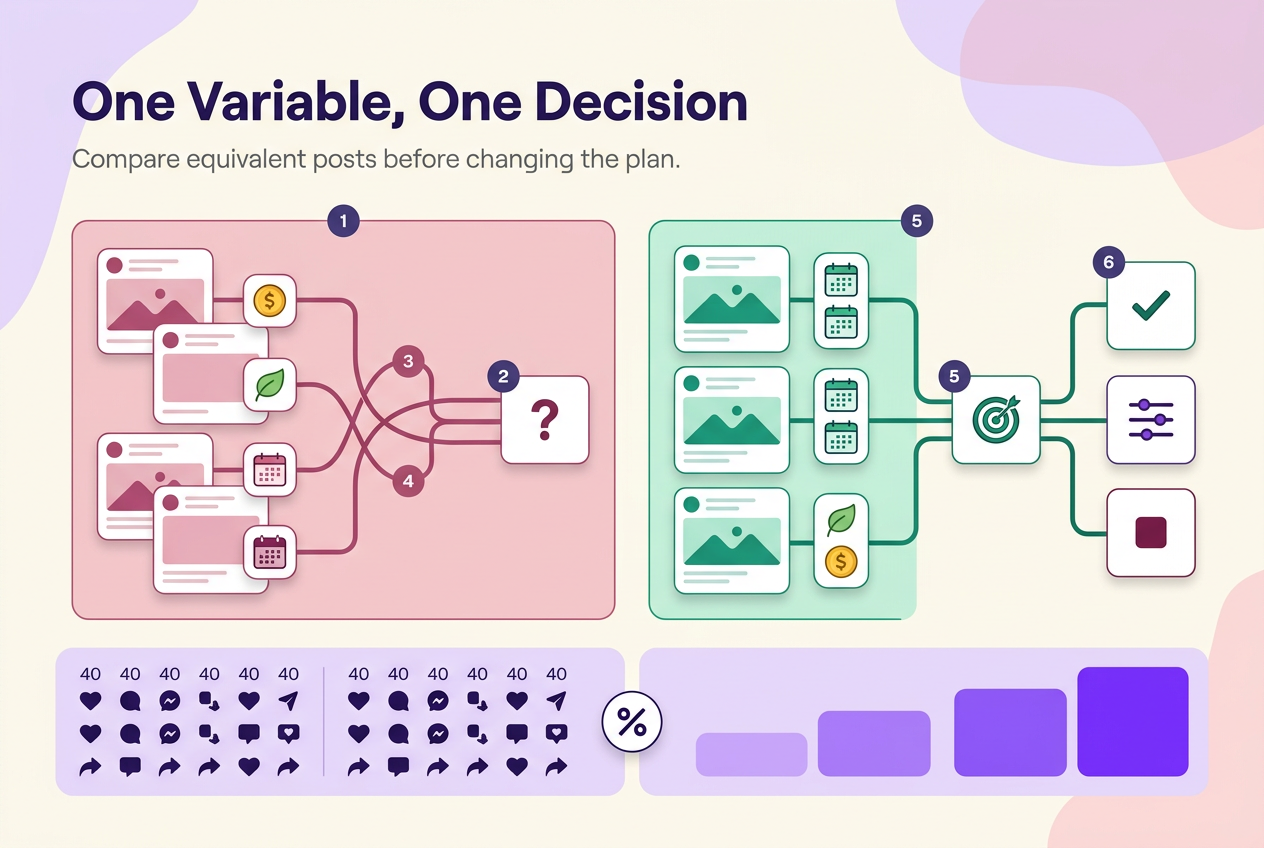
Measuring results means comparing one primary outcome measure across a fixed reporting window against a decision rule you set before you looked at the numbers — not reading a dashboard and reacting to the primary outcome measure.
Set the rule in advance: what result keeps the current approach, what result means revising the packaging, what result means revising the next-step action, what result means revisiting audience fit, and what result means stopping the test. Then compare only content that shares the same format group, the same reporting window, and the same organic-or-paid scope — a paid post measured against an organic one, or a week measured against a month, produces a number that looks like a signal but isn’t one.
An engagement rate is a ratio, and a ratio only means what its denominator means. Illustrative arithmetic: Post A gets 40 interactions out of 2,000 accounts it reached, for a rate of 2.0%. Post B gets the same 40 interactions out of 800 accounts it reached, for a rate of 5.0%. Both posts produced identical interaction counts; the different rate comes entirely from a smaller reach, not a more responsive audience — which is why a raw interaction count and a rate answer different questions, and neither should be read alone.
Use the table below to turn a report into one decision instead of a running list of numbers.
| Goal | Primary measure | Supporting diagnostics | Comparison scope | Interpretation signal | Decision |
|---|---|---|---|---|---|
| Awareness | Visibility measure | Watch-through, shares | Same format, same period, organic only | Visibility rises without hurting other measures | Retain |
| Awareness | Visibility measure | Watch-through, shares | Same format, same period, organic only | Visibility flat or falling across several comparable posts | Revise packaging |
| Qualified interest | Save-equivalent measure | Comments, shares | Same format, same period | Interest measure flat while visibility grows | Test packaging and message together before changing the format |
| Next-step action | Action tracked in link or sales analytics | Profile-visit signal, where reported | Same period, paid and organic kept separate | No movement despite adequate visibility over several posts | Stop the approach |
Free social media strategy template
Yes — you can build this from a plain table with no sign-up, gate, or software required. Copy the structure below and fill it with your own goal, audience, and metric choices.
The template needs twelve fields to function as a strategy rather than a calendar: goal, audience need, Instagram’s role, content job, format, next action, owner, cadence, primary metric, supporting metrics, review date, and next decision. Fill in the next-decision field before you publish, as a rule — what result keeps the approach, what result means revising it, what result means stopping it — not as an open question. The review date is the only field that stays open until it arrives; everything else, including the rule that will govern the decision, gets set before the first post goes out.
The row below is illustrative, not a client result:
| Goal | Audience need | Instagram role | Content job | Format | Next action | Owner | Cadence | Primary metric | Supporting metrics | Review date | Next decision |
|---|---|---|---|---|---|---|---|---|---|---|---|
| Increase qualified inquiries | Wants to know if custom orders are possible | Referral to a next step | Explain the ordering process | A saveable reference format | Visit profile link | [Owner] | Weekly | Action tracked in link analytics | Saves, comments | [Date] | Retain if inquiries rise across the review window; revise the ordering explanation if saves stay flat while reach grows; stop the approach if inquiries don’t move after several comparable posts |
Duplicate the row for each content item you plan. Only the review date itself stays blank until that date arrives; the decision rule next to it should already be written.
What should you change when the plan is not working?
Say a video-heavy plan that worked for two months suddenly shows falling visibility and flat interest at the same time. Before touching content, work through this order: check for an explicit account-status or eligibility notice rather than assuming one exists; assess whether the audience and content job still match what’s showing up in comments and saves; assess whether packaging — the opening seconds, the cover, the hook — is still communicating the job clearly; assess whether the profile and its next action still make sense for the traffic arriving; confirm the metric you’re watching still matches the goal you set; and only then decide whether you have enough comparable posts to justify changing one variable.
If topic, format, timing, and creative all changed in the same week, you no longer have a stable comparison point, and the repair order above won’t isolate which change mattered. Go back to a single comparable variable before drawing a conclusion.
For deeper metric breakdowns and account-status walkthroughs specific to Instagram, see the Instagram Strategy & Analytics hub.
No method guarantees a specific number of followers, views, or income. Results depend on niche, content quality, and account history.
 120,000+ creators say yes
 Real Active Accounts


 Username Generator
  Hashtag Generator
  Font Generator