How to See Who Unfollowed You on Instagram
No — Instagram does not publish a dated, named list of who unfollowed you. Its documented tools stop at a current follower count and, for professional accounts, aggregate Insights on follower trends; neither shows individual names or dates. What you can determine instead is whether a count change lines up with a specific week’s content.
A dropping follower count is the kind of change that feels personal, even though most of what causes it isn’t. This piece walks through what Instagram’s own tools actually show about your followers, why services promising a named list need account access to function at all, and how to separate background churn from a change tied to something you posted. The goal isn’t to identify who left — it’s to give you a way to read your own numbers that holds up whether the count moved by two people or twenty.
Can Instagram show you who unfollowed you?
No. Instagram’s documented tools don’t include a dated, named unfollower history. What’s actually available are three separate views, and each answers a different question:
- Your profile’s follower count — a current total. Instagram’s documentation doesn’t describe it as a change log or history.
- Your current followers list — who follows you today. It isn’t documented as a historical record of who followed you last week.
- Instagram Insights — documented for professional accounts as showing aggregate follower trends, not individual names or dates.
A lower count is not a name list, and today’s followers screen isn’t evidence of who left or when — it only reflects who is following you right now. Treat any app promising that missing list as working around a gap Instagram hasn’t documented a fix for, not confirming one Instagram published.
What an Instagram data export can and cannot show
Meta’s Accounts Center calls this feature Export your information. From that flow, you select an Instagram profile, choose an export destination, and pick information categories, a date range, a file format, a notification email and media quality. “Followers and following” is one of the selectable categories, but the reviewed Help text does not promise that this category includes timestamped follow or unfollow events, or a complete history of changes — only the information tied to that category. Export labels, categories and options can vary by app version, account type and region, so match the screen you actually see rather than the exact wording here.
In one US web test in August 2026, that flow offered an “All time” date range and a choice between HTML or JSON before producing a downloadable ZIP file. Meta’s export documentation describes creating a request and downloading it once it’s ready, but the page reviewed here does not publish a numeric limit on how often you can request one, so treat any specific figure you see elsewhere as unverified.
Two exports taken weeks apart can show a name missing from the second list that appeared in the first. That’s an observed absence in your own data — not a confirmed record of when the change happened or why.
Non-followers, unfollowers, and an observed absence are not the same
These three get treated as one problem, and that’s the mistake. A non-follower is someone who currently doesn’t follow you back — that state may have existed since the day they found your account, and it says nothing about a recent change. An unfollower is a name that appears in one dated record and is missing from a later one, with everything else about the comparison held constant. An observed absence is what you actually have: a name no longer on your list, for a reason your data alone can’t isolate. It tells you that something changed between two records — not what changed, or why.
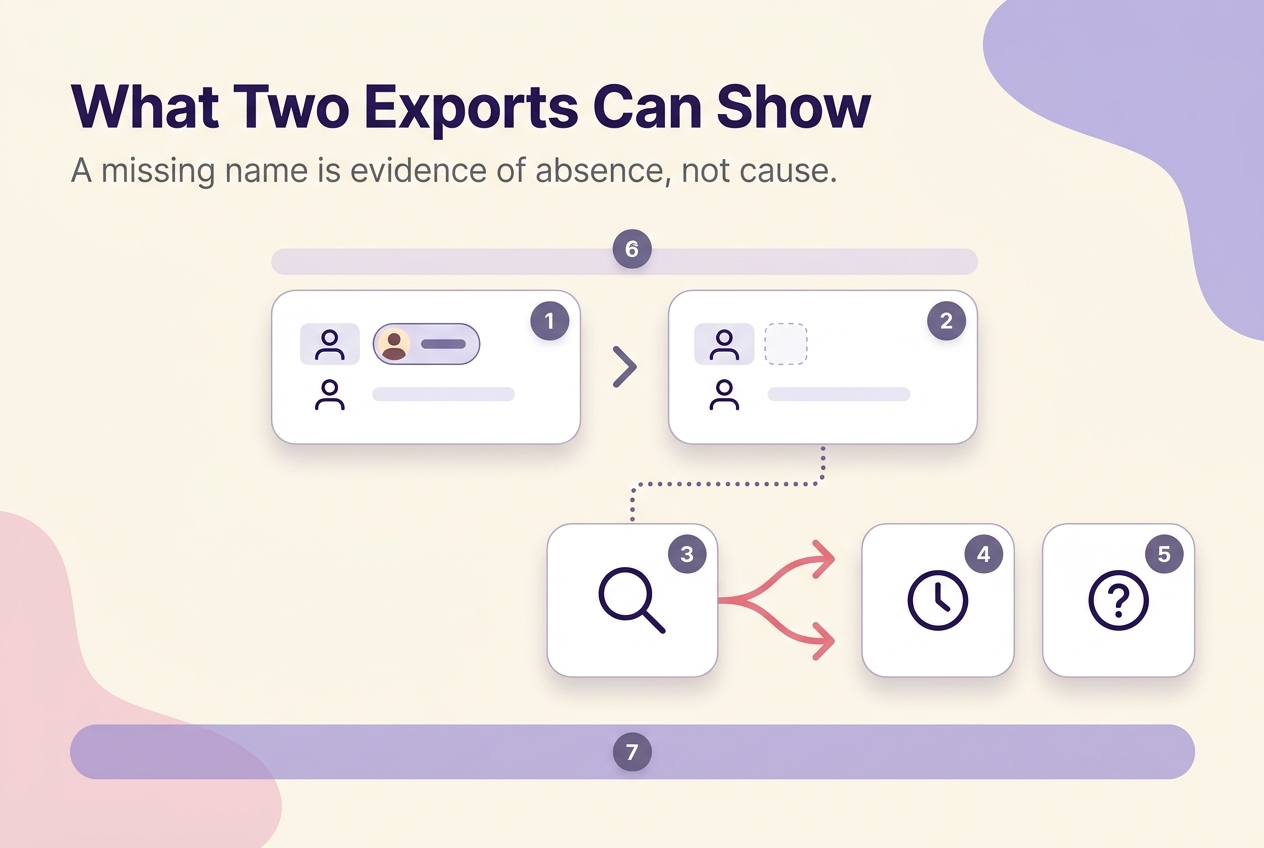
Confusing the first two leads people to message someone who was never following them in the first place. Confusing the last two leads to blaming a single post for a change that may have had nothing to do with content at all.
Why unfollower services ask for account access
The common mistake is treating “no password required” as proof that nothing was shared. A tracker can still gain access through a login-based authorization, an uploaded export archive, or a granted permission scope — each is a different kind of disclosure, and each deserves the same scrutiny you’d give a password field.
Before connecting anything that promises an unfollower list, work through this in order:
- What’s actually being requested — a password, a login-based authorization, or an uploaded export file?
- What permission scope does that authorization grant, and does it match what a follower comparison actually needs?
- Where can you review the connection afterward, so it doesn’t stay active longer than you intended?
- Does the service say anything about how long it keeps your data, or whether it deletes it on request?
- Can you revoke the connection from your side, regardless of whether the service cooperates?
Meta’s account settings split these controls by function: Password and security covers your password, two-factor authentication, login alerts and where you’re currently logged in, while Apps and websites is where connected third-party services can be reviewed and removed. Removing a connection there stops future access; it doesn’t confirm the service deletes data it already collected. Instagram documented a version of this same control for third-party apps and websites back in 2019, though the exact screen names have likely shifted since. A published privacy policy is worth checking before you connect anything, but it’s a floor, not a guarantee — it says a service claims to follow some rules, not that it retains or deletes your data the way it says.
If your Instagram follower count is not updating
Say your profile has shown the same number for a few days, even though you know you posted and picked up new engagement. Before assuming the counter is stuck, work through this in order:
- Note the exact time you’re checking and against what range. Your profile shows a current total, while Insights date-range controls offer preset windows alongside a custom range within a recent period — comparing the two without matching the window compares different numbers.
- Compare like for like: read the Insights follower trend for the same days your profile count covers, not a lifetime total against a seven-day view.
- If the two still disagree once the ranges match, check Instagram’s current Help Center for troubleshooting guidance before assuming a platform-wide fault.
A count that looks frozen is often just net movement too small to register at a glance — a handful of new followers offsetting a handful of departures reads the same as zero change until you check the trend, not the single number.
Review the week, not the person
The most useful question isn’t who left — it’s what happened in the same window they left in. Run the count against the calendar, not against a name:
- Pick one consistent window, such as a calendar week, and record the follower count at its start and its end from the same view each time — profile count or Insights, not a mix of both.
- List everything published in that window: format, topic, and whether it ran organically or as paid distribution, since organic reach and paid distribution are reported separately and shouldn’t be read as one line.
- Compare matched metrics — reach, saves, shares — against that account’s own recent weeks in the same format, not against a benchmark from a different account or niche.
- Write down at least two plausible explanations for the movement before picking one. A lower net count in the same week a new format launched already has two live explanations, not one.
- Choose a single variable to change before the next comparable week, rather than adjusting topic, format and posting time all at once.
I prioritize the reporting week over any single post, and the account’s own recent history over any outside benchmark, because a week-level view holds up against the day-to-day noise a single post can’t filter out. A pattern that repeats across several comparable weeks is worth testing against; a dip inside one week is not yet a pattern — it’s one data point. A same-week content pattern narrows which explanation to test next; it doesn’t prove that one post caused the change. Treating every dip as identical is what pushes people toward a name list that wouldn’t change the decision anyway — even a complete list of who left tells you nothing about which of your two or three live explanations is correct. The publishing log next to the count does.
A compact post-and-week comparison
The usual advice to “just check your top post” skips a step: metric definitions and scopes differ by format. For professional accounts, Instagram says Insights cover posts, Stories, Reels, live videos, and ads — use the in-product information icon to check what each metric on your screen actually measures, then compare only within the same format and distribution type. Use one row per week and keep every comparison inside that boundary before drawing a conclusion:
| Reporting window | Format | Topic | Organic or paid | Distribution metric | Engagement metric (if applicable) | Follower movement | Alternative explanations | Next test |
|---|---|---|---|---|---|---|---|---|
Fill it in after each reporting week rather than during it, and only compare rows where the format and the organic-or-paid status match.
When a follower drop deserves action
Investigate once you’ve logged repeated movement across comparable reporting windows — matched by format, distribution type, and date range — or when a count discrepancy persists after you’ve matched date ranges and checked official troubleshooting. Otherwise, record the number, keep the weekly review running, and leave your posting plan alone until the next comparison closes.
The reason to hold off on immediate changes is practical: switching topic, format and posting time in the same week you noticed a drop destroys the comparison you’d need to read the following week correctly. A format abandoned after a single soft week may have been working fine.
Calculate your weekly follower movement
Weekly follower movement is end-of-week follower count minus start-of-week follower count, for the same account and the same defined week. For example, an account showing 8,420 followers on Monday and 8,395 followers the following Monday has a weekly movement of −25 — not a name, just a net number to log next to that week’s content.
Attach the week’s publishing log to that number before drawing any conclusion, and treat the result as one input for the next test, not a diagnosis on its own. For the next step — turning a stable weekly read into a content plan — see our broader Instagram growth guidance.
This weekly-review method narrows down plausible explanations for a follower-count change; it does not identify who unfollowed you, and no diagnostic method guarantees a specific cause.
No method guarantees a specific number of followers, views, or income. Results depend on niche, content quality, and account history.
 120,000+ creators say yes
 Real Active Accounts


 Username Generator
  Hashtag Generator
  Font Generator